How to Unlock AO Smith Water Heater: Step-by-Step Guide to Reset and Access Settings
To unlock your AO Smith water heater, first determine if the lock is mechanical or electronic. Begin by shutting off the power and water supply. For digital panels, use the designated button combination, or hold the manual reset button for 3–5 seconds. Check for issues with breakers, sensors, and any error codes before restoring power. Regular maintenance can help prevent future lockouts, so be sure to consult your manual for specific procedures and troubleshooting tips. Follow this guide for detailed steps and safety precautions.
What It Means to Unlock an AO Smith Water Heater
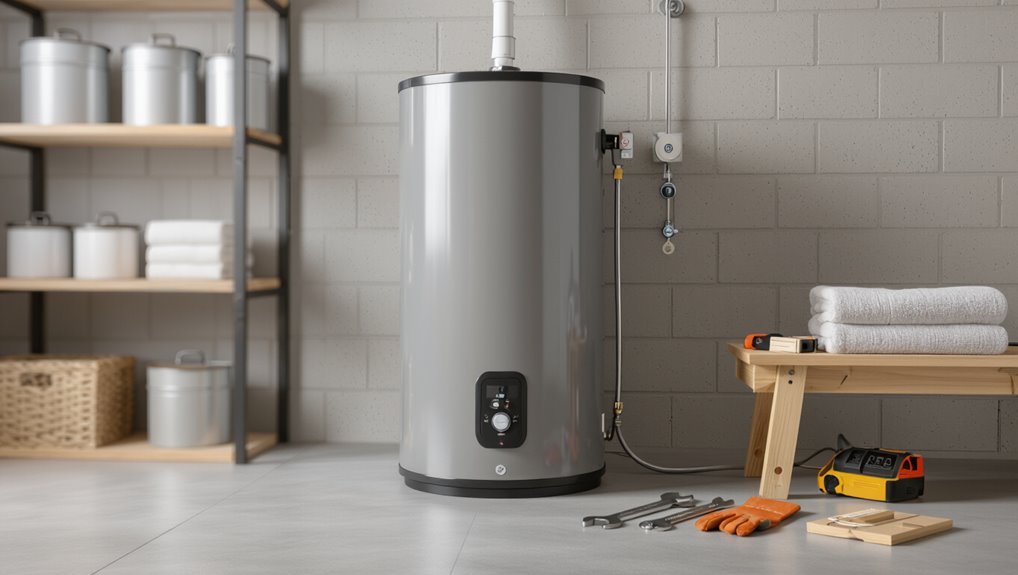
Releasing an AO Smith water heater can refer either to disengaging a mechanical safety lock or clearing an electronic control lockout that prevents normal operation.
The mechanical lock protects against unauthorized access, while an electronic lockout is typically triggered by error codes or safety faults.
Common signs of a locked unit include an unresponsive control panel, error indicators or flashing LEDs, and a lack of heating despite power.
Differences between locking for safety and electronic control lockout
When discussing AO Smith water heater locks, it is important to distinguish between a physical safety lock—which prevents accidental access to controls or gas and electrical service—and an electronic control lockout, a firmware-level setting that disables temperature adjustments and error-reset functions until a specific sequence or code is entered.
The former is about preventing tampering or injury, while the latter protects system integrity and alerts users to faults that require resolution before normal operation can resume.
Physical locks are hardware, often keyed or sealed, requiring manual release; electronic lockouts require following manufacturer procedures for how to access AO Smith water heater via button sequences, codes, or resets, typically documented in the manual.
Common symptoms that indicate the unit is locked or in lockout mode
If the AO Smith water heater has been placed into a lock or lockout state, the most obvious signs are disabled control responses and persistent fault indicators: buttons or touchscreen ignore input, menu access is blocked, and the display shows error codes or a lock icon.
Additional symptoms include inactive heating cycles, repeated restart attempts failing, and diagnostic lights that remain steady or blink specific patterns.
Quick Reset and Unlock: Step-by-Step Instructions
Before attempting a reset, the user should gather basic tools and follow safety precautions such as shutting off power and water.
The instructions then cover the standard reset steps for digital control panels, the manual button reset for older models, and the procedure after power outages or error codes.
Finally, methods to verify the heater is released and operating correctly are described.
Tools and safety precautions to follow before starting
Several essential tools and strict safety steps are required before attempting a quick reset or open of an AO Smith water heater.
Recommended tools: insulated screwdrivers, multimeter, adjustable wrench, flashlight, and protective gloves and goggles.
Safety precautions: disconnect power at the breaker, shut off water supply, drain pressure if needed, verify no voltage with a meter, guarantee adequate ventilation, and follow manufacturer warnings.
Basic reset procedure for digital control panels
Begin by confirming power and water are safely isolated. Then approach the digital control panel to perform a quick reset or release sequence.
The user should locate the panel, note error codes, and press the prescribed combination of buttons (often Hold/Up/Down) for several seconds until the display clears.
After reset, restore power, observe startup behavior, and verify normal operation.
Manual reset procedure for models with reset buttons
After attempting a digital-panel reset, models equipped with a physical reset button offer a straightforward manual procedure to clear lockouts and faults.
Locate the button—usually red—on the thermostat or near the burner access.
Turn off power, wait ten seconds, then press and hold the reset for three to five seconds.
Restore power and verify normal operation; repeat once if necessary.
Resetting after a power outage or error code
When power is restored or an error code appears, a quick reset can often clear transient faults and return the AO Smith water heater to normal operation without component replacement.
The technician or homeowner should switch power off at the breaker, wait 30 seconds, then restore power.
If the control requires a reset button, press per model instructions.
Monitor indicators for immediate fault recurrence.
How to confirm the unit is unlocked and functioning
A few simple checks confirm the AO Smith water heater has been freed and is operating properly: verify the display shows normal temperature without error codes, guarantee the control panel responds to input, listen for regular burner or pump operation, and confirm hot water delivery at a nearby faucet.
Finally, inspect for warning lights and unusual noises; absence indicates successful release and normal function.
Accessing and Changing Settings on AO Smith Models
The section outlines how users navigate common AO Smith digital menus to access temperature, vacation, and energy-saving options.
It also explains how to enable or disable child lock/control lock features.
Model-specific button sequences for entering advanced settings are provided to guarantee correct operation.
How to navigate digital menus on common AO Smith control panels
Many AO Smith control panels share similar menu structures that let users view status, adjust temperature, and configure safety features through a small set of buttons or a touchscreen.
Users navigate with arrow, select, and back keys; menus display icons and concise labels. Enter menus to view diagnostics, lock status, and error codes.
Exit or hold back to return to home.
Adjusting temperature, vacation mode, and energy-saving settings
After maneuvering the control panel to the main menu and locating status or configuration screens, users can access temperature, vacation mode, and energy-saving options through the settings submenu.
Temperature is adjusted via up/down or set buttons, with confirmation required.
Vacation mode reduces target temperature and suspends heating until a scheduled return.
Energy-saving presets optimize recovery rates and standby losses for efficiency.
Enabling or disabling child lock / control lock features
Access the control menu to locate the child lock or control lock option, typically found under safety or system settings on AO Smith models with digital interfaces.
Select the feature, then choose enable or disable. Confirm changes per on-screen prompts.
When locked, front-panel buttons and temperature changes are prevented; releasing restores full control.
Refer to the user manual for feature-specific behavior and timeout settings.
Model-specific button sequences for entering advanced settings
Enter the appropriate button sequence to reach advanced settings; AO Smith models use model-specific combinations—such as holding two buttons simultaneously for several seconds or pressing a sequence of power, up, and down controls—to access diagnostic menus.
The user manual lists exact sequences per model. Technicians should follow those steps, observe display prompts, and avoid forcing buttons.
Incorrect sequences may require power cycling or professional service.
Troubleshooting Common Lock and Unlock Problems
The troubleshooting section outlines common lock and release problems, beginning with error codes that indicate specific lockout conditions and their meanings.
It then covers steps to take when a reset fails, and how to identify and address tripped breakers or blown fuses as causes.
Finally, it explains diagnostic steps for intermittent locking issues to help isolate electrical, sensor, or control-board faults.
Error codes related to lockouts and their meanings
Several common error codes indicate why an AO Smith water heater may lock out, each corresponding to a specific fault such as ignition failure, flame loss, overheating, or sensor malfunction. Codes like E1, E2, E3, E4, and E5 map to ignition, flame, temperature, sensor, and gas supply faults respectively; reference the manual for exact diagnostics.
| Code | Meaning |
|---|---|
| E1 | Ignition failure |
| E2 | Flame loss |
| E3 | Overheat |
| E4 | Sensor fault |
| E5 | Gas supply issue |
What to do if the reset does not work
If a standard reset fails to clear an AO Smith water heater lockout, proceed to methodically isolate likely causes—verify power and gas supply, inspect error codes and associated sensors, and check for visible signs of flame rollout or overheating—so diagnosis moves from simple user fixes to targeted troubleshooting or technician intervention.
Document findings, replace faulty safety components only when qualified, and contact certified service for complex ignition, valve, or control board faults.
When a tripped circuit breaker or blown fuse is the cause
When electrical supply and safety components have been checked but the heater remains unresponsive, attention should shift to the home’s electrical protection: a tripped circuit breaker or a blown fuse can place the AO Smith unit into a locked or unpowered state.
Inspect the panel for tripped breakers or blown fuses, reset or replace as appropriate, then verify power at the heater.
If issues persist, consult a licensed electrician.
Intermittent locking issues and diagnostic steps
Although intermittent locking can seem random, it usually follows identifiable patterns that point to specific causes—loose wiring, failing control boards, temperature sensor faults, or brief power interruptions.
Technicians should inspect connections, test voltage stability, read error codes, and swap or bench-test sensors. Document occurrences to correlate with external events.
Replace faulty modules or schedule professional evaluation if issues persist despite tightened wiring and stable power.
Safety and Maintenance to Prevent Future Lockouts
Routine maintenance—such as flushing the tank, checking heating elements and sensors, and inspecting control wiring—reduces the risk of electronic faults that can trigger lockouts.
Proper installation and periodic grounding checks guarantee electrical stability and compliance with manufacturer specifications.
Scheduling professional inspections at recommended intervals helps catch wear or wiring issues before they cause failures.
Regular maintenance tasks that reduce electronic faults
Perform scheduled inspections and simple service tasks to minimize electronic faults in AO Smith water heaters.
Technicians and owners should clean vents, remove dust from control panels, check and tighten accessible electrical connections, replace worn sensors and batteries, and verify drainage and condensate lines are clear.
Regularly update firmware where applicable and document maintenance to identify recurring issues before lockouts occur.
Proper installation and grounding checks
When properly installed and grounded, AO Smith water heaters are far less likely to experience electrical faults that lead to lockouts.
Installers should verify correct wiring, secure connections, proper circuit breakers, and manufacturer-specified grounding conductors.
Inspect bonding continuity and mounting to prevent vibration-related loosening.
Confirm junction boxes are accessible and protected.
Document installation details and correct any deficiencies promptly to minimize future electronic interruptions.
Recommended professional service intervals
A qualified technician should inspect AO Smith water heaters at regular intervals—typically every 12 to 24 months—to validate electrical components, tank integrity, pressure-relief devices, and control calibrations.
More frequent checks are recommended for units in hard-water areas, commercial settings, or on-demand systems.
Scheduled service reduces corrosion, sediment buildup, and control failures, guarantees proper thermostat and safety operation, and prevents unexpected lockouts through proactive maintenance.
When to Contact AO Smith Support or a Licensed Technician
If the heater shows persistent error codes, unusual noises, gas smells, or requires replacement parts, professional diagnosis is recommended.
Before contacting AO Smith support or a licensed technician, have the model and serial number, error code or symptom timeline, recent maintenance actions, and any photos or videos of the issue ready.
This information speeds troubleshooting and helps determine whether a field service visit or parts replacement is necessary.
Scenarios that require professional diagnosis or replacement parts
Contacting AO Smith support or a licensed technician becomes necessary whenever troubleshooting steps fail to restore normal operation or when symptoms point to internal component failure that requires parts, tools, or safety procedures beyond homeowner capability.
Situations include persistent error codes, gas valve or thermocouple failure, electrical board faults, leaks from internal tanks, combustion issues, or repeated lockouts despite resets.
Professional diagnosis or replacement parts are advised.
Information and diagnostics to have ready before calling support
When should details be gathered before calling AO Smith support or a licensed technician? Gather model/serial numbers, error codes displayed, and recent symptoms; note date/time of failures and any recent work.
Prepare photos or short video of the unit and wiring for clarity.
- Frustration at repeated faults
- Relief from clear evidence
- Urgency when no hot water remains
Quick Reference: Model-Specific Unlock Sequences
A compact, model-specific chart lists popular residential AO Smith units with one-line release or reset steps and brief notes or caveats for each entry. Refer to the table below for immediate guidance, then consult the manual or a technician if instructions do not clear the lock code or fault. Only basic sequences are shown; some models require valve or power cycling steps not captured here.
| Model | Quick Release / Reset |
|---|---|
| Signature/Pro | Press and hold reset for 5s; power cycle if persistent |
| Vertex/Promax | Tap mode twice then press reset once; service required if error persists |
Popular residential models and one-line unlock/reset steps
Several common AO Smith residential models each have a concise, model-specific release or reset sequence that can be executed in one line for quick troubleshooting.
Examples:
1) Signature: press and hold Reset for 5s.
2) ProLine: toggle Power OFF/ON twice.
3) Voltex: press Mode then Reset.
4) Cyclone: hold Up arrow + Enter.
5) Atmos: press Menu then Reset.
Notes and caveats for each model listed
Each model’s one-line release should be treated as a starting point rather than a guaranteed fix, because hardware revisions, local codes, and user-installed accessories can alter button behavior or safety interlocks.
Users should verify serial-specific manuals, note firmware or keypad differences, respect gas/electrical shutoffs, and consult certified technicians for persistent locks.
Document any nonstandard modifications before proceeding.
Common Mistakes to Avoid During an Unlock Attempt
A clear awareness of common errors can prevent costly damage and preserve warranty coverage when attempting to access an AO Smith water heater.
Technicians and owners should avoid shortcuts that risk parts or safety systems and follow safe verification steps after any access procedure.
The next section outlines specific missteps to watch for and how to test changes without causing further issues.
- The sinking dread of a voided warranty after a hasty shortcut
- The frustration of accidental damage from bypassing safety interlocks
- The relief of confirming correct operation through careful, safe testing
Risky shortcuts that can void warranty or cause damage
Attempting quick fixes can create bigger problems: using unapproved tools, bypassing safety interlocks, or altering factory settings risks voiding the warranty and causing permanent damage to the AO Smith water heater.
Technicians should avoid jury-rigging parts, forcing controls, or disconnecting safety sensors.
Documented manufacturer procedures exist for a reason; shortcuts often lead to costly repairs, safety hazards, and nullified coverage.
How to safely test changes after unlocking
Begin by verifying that all safety interlocks, sensors, and factory settings have been restored to their prescribed positions before any operational tests commence.
Then perform incremental adjustments, monitor temperature, pressure, and error codes, and observe for leaks or unusual sounds.
Use appropriate personal protective equipment, document each change, and revert immediately if anomalies appear.
Consult authorized service if unresolved issues persist.
Conclusion
The guide closes by noting that releasing an AO Smith water heater is a matter of clear steps, like turning a key in a well-worn lock: method and patience open access. Following reset procedures, checking model-specific sequences, and observing safety precautions typically restores control. If problems persist, professional assistance is prudent. Regular maintenance and careful operation reduce repeat lockouts, keeping the unit reliable and extending its service life.